Say It Again
by Stewart French
SayItAgainSlower@gmail.com
Version 1.0
03/06/2024
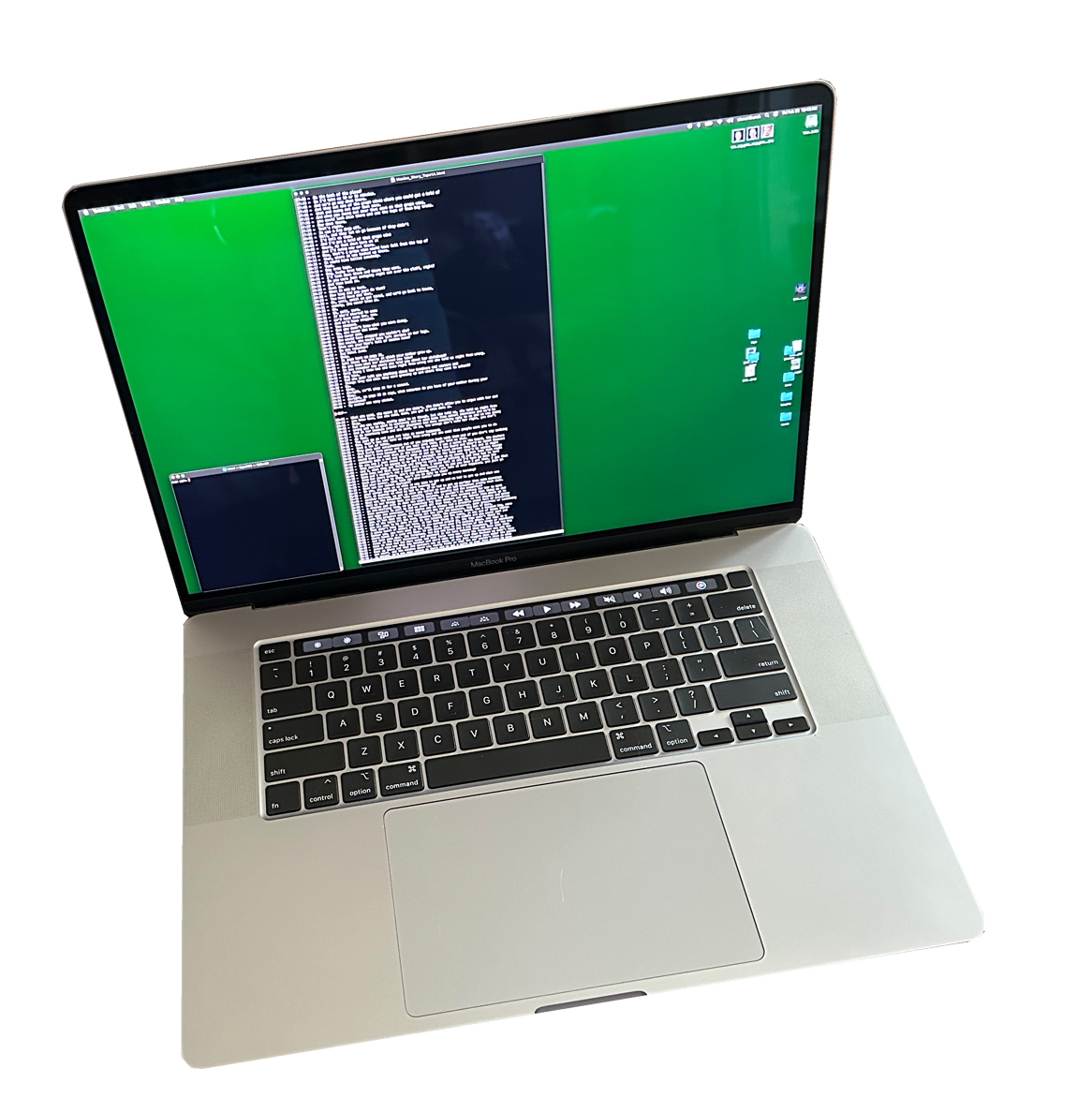
SayItAgain is an Apple iPhone or iPad app used when transcribing audio recordings, i.e., listening to a recording while typing out what is heard into a text editor. SayItAgain will play back your audio recording and allow you to slow it down and back up to replay with the tap of a button or press of a foot pedal. This is similar to the old Panasonic RR-830 Standard Cassette Transcriber. You then use your fingers on a keyboard and type in the corrections! You can use Notes, TextEdit, MS Word, Emacs, or whatever text editor you are most familiar with.
For example, perhaps you submitted your parents Story Of A Lifetime to one of the automated transcription tools, like OpenAI Whisper or Google Speech-to-Text, and found that the results were riddled with errors. You now must go through and manually correct the errors, get the proper names right, work out that deep Kentucky accent. SayItAgain is perfect for this!
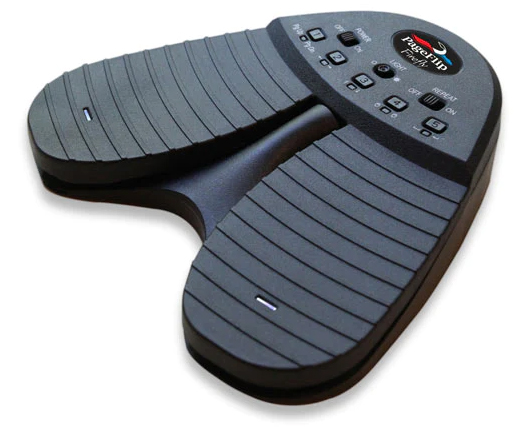
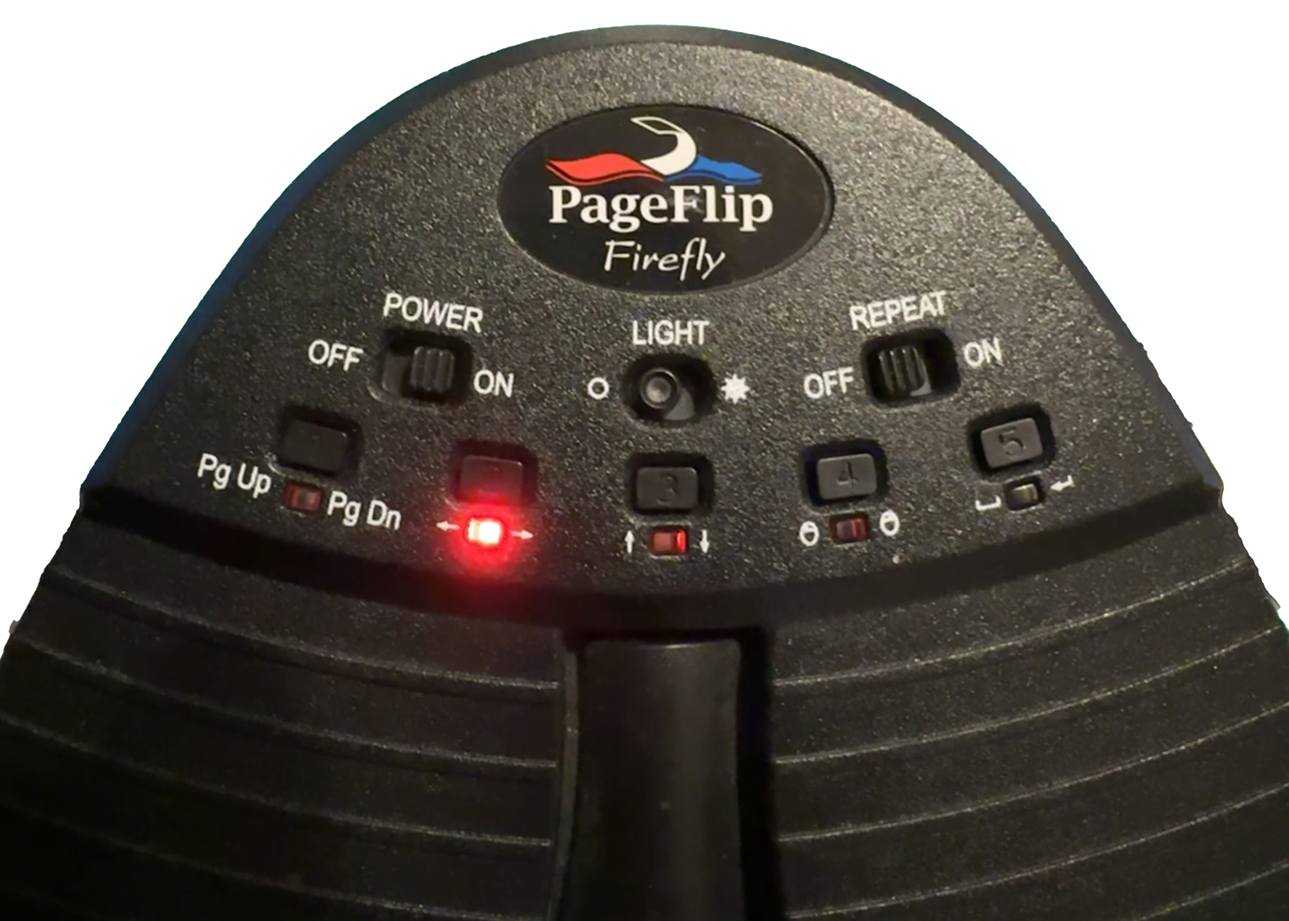
SayItAgain is configured to support a Pageflip Firefly foot pedal by using the iPhone Accessibility Switch Control. The PageFlip folks have a YouTube video that shows exactly how to configure you iPhone and pedal. The Pageflip Firefly needs to be set to generate left-arrow and right-arrow signals. You do this by pressing the appropriate button ( #2 ) on the foot pedal, shown here flashing red. SayItAgain is set up to respond perfectly to this configuration.
SayItAgain is a free app. I have released the SwiftUI source code to github here. If you make any changes I would appreciate you letting me know so I can consider adding them.
You will need to have your audio file(s) local in your iPhone music library for SayItAgain to be able to process it. SayItAgain will not work with cloud-based music services like Spotify. You then need to download SayItAgain from the Apple iPhone app store.
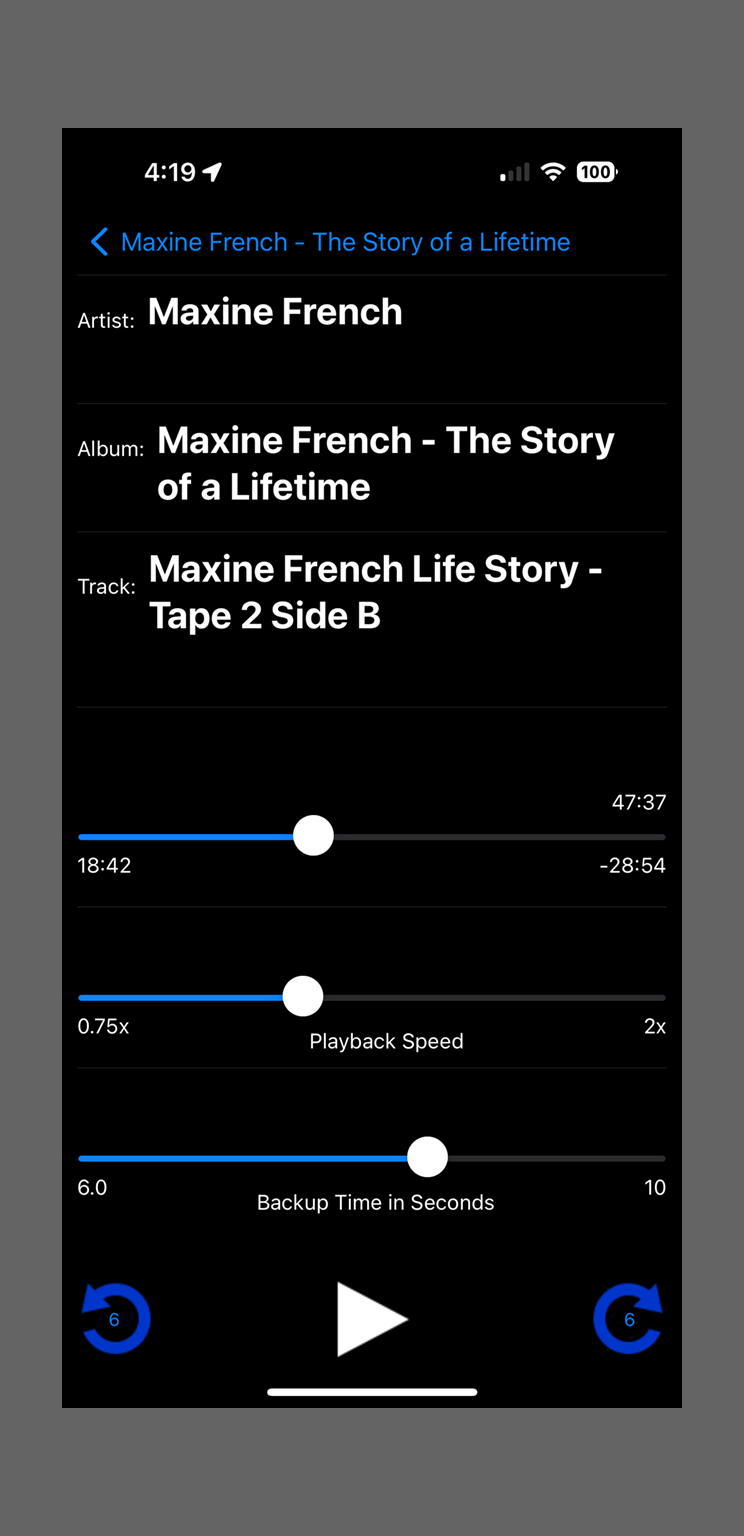
If you are using a foot pedal it will need to be connected through bluetooth and the Accessibility Switch Control turned on before you launch SayItAgain. The right pedal will pause/play the audio. The left pedal will back up by the set amount of seconds as shown in the lower slider "Backup Time in Seconds". These are the exact same function that are performed by the lower two buttons on the screen, blue arrow left, and the play/pause buttons. If you don't have a foot pedal you can use these two buttons.
When you exit SayItAgain, go into the Settings app and turn off Accessibility -> Switch Control. Otherwise you may see a blue box moving around your screen when you turn off your foot pedal.
You launch SayItAgain on your iPhone or iPad and get presented with the front page. You can drill down by Albums, Playlists, or Artists to find your way to the audio track you want to transcribe. Like this -
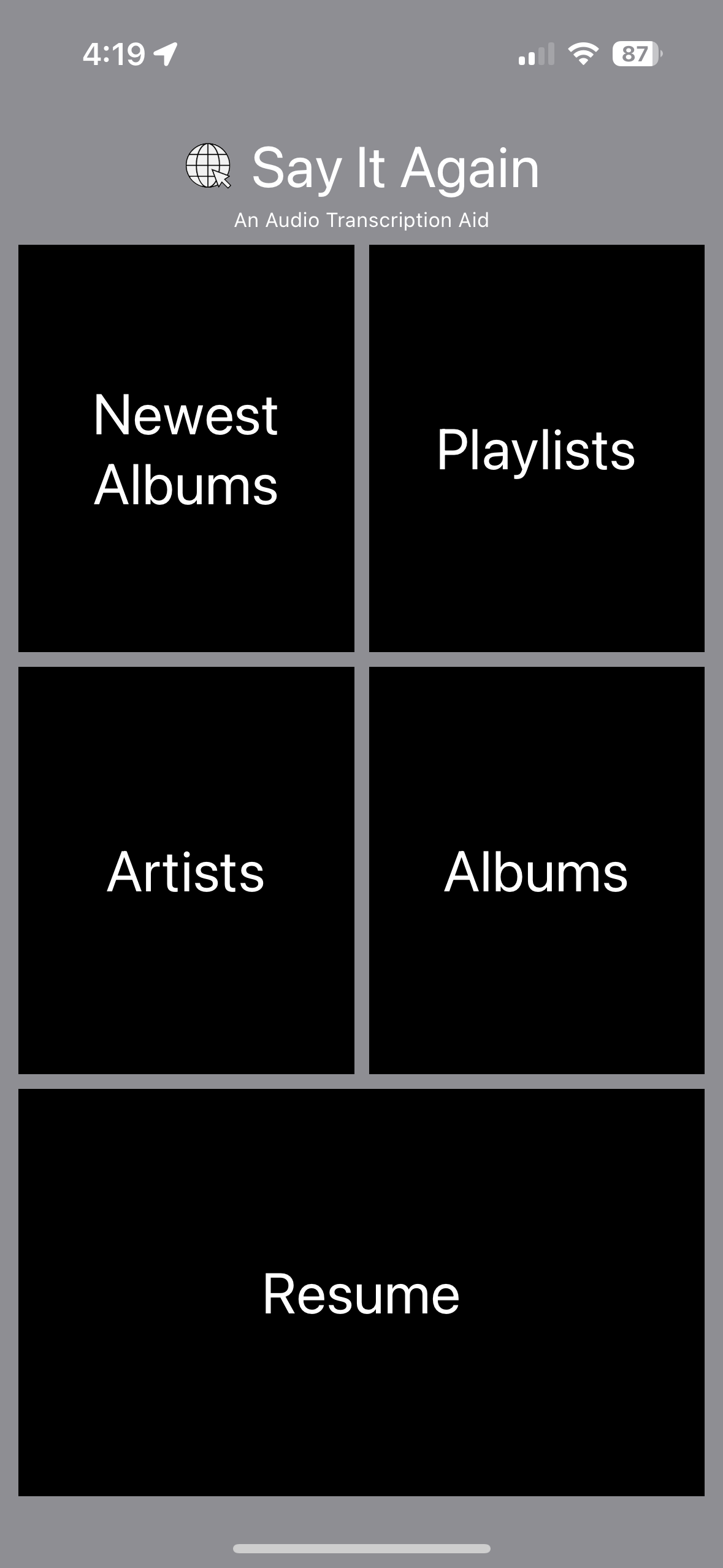
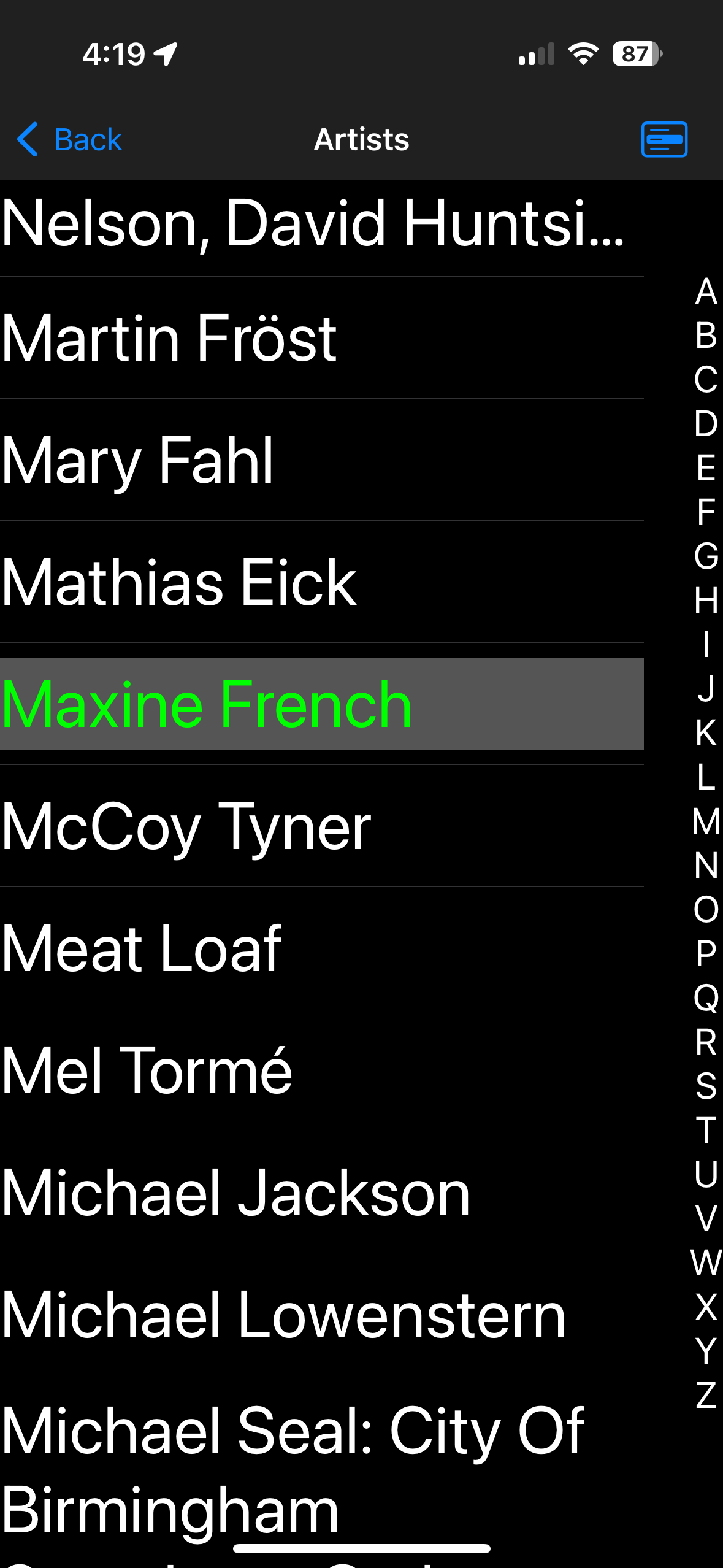
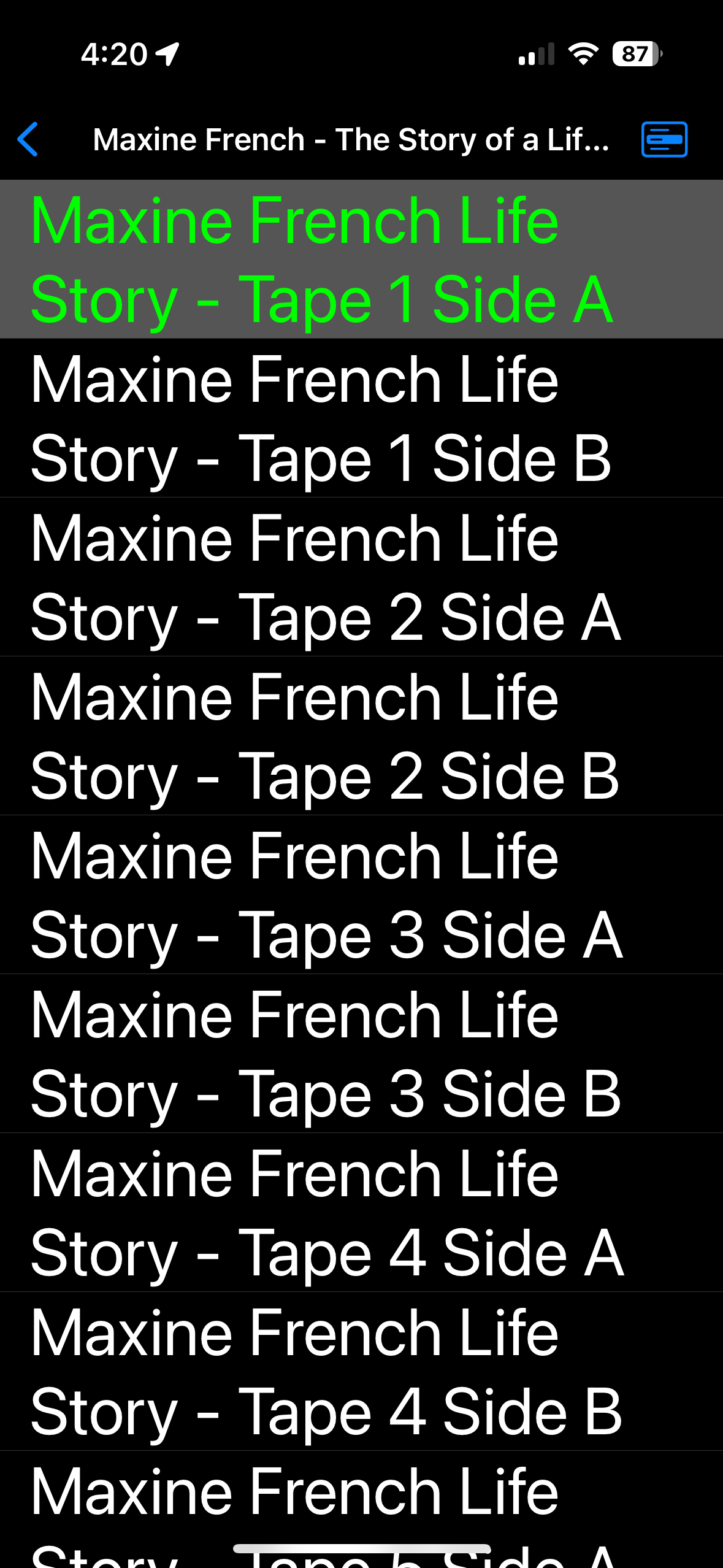
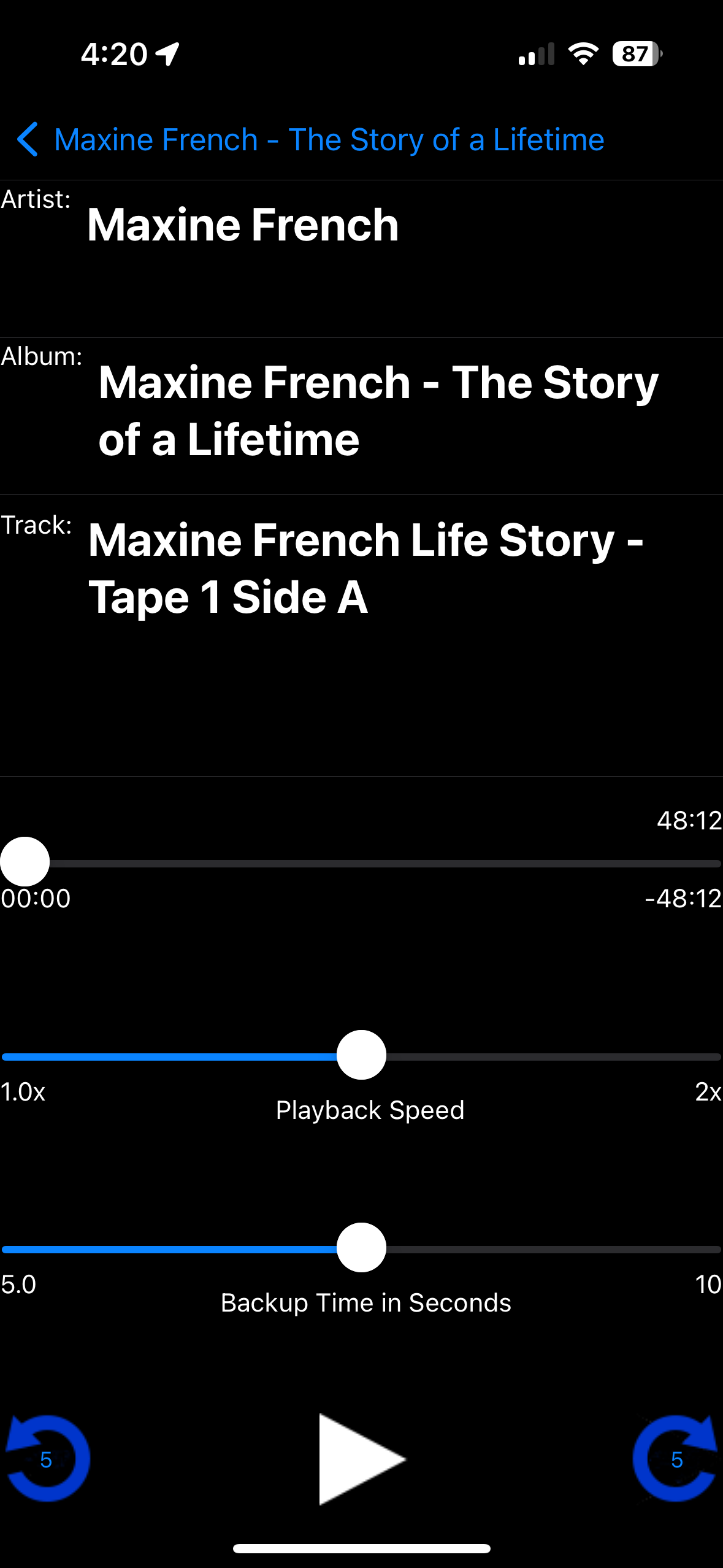
You press the Play button (bottom middle button), or if you have the foot pedal configured, you press the right foot pedal to start the audio playback. You can slow it down by sliding the Playback Speed control left. You can rewind the audio playback to re-listen to a section by pressing the blue left arrow (lower left corner). If you have the foot pedal configured then press the left foot pedal to back up. It will back up by the number of seconds you have the Backup Time in Seconds slider set to. The default is 5 seconds.
If you have been transcribing and are in the middle of an audio playback and need to stop to take care of some business, you can exit the app and turn off Switch Control. Then, when you return, turn on Switch Control, and launch the app again, you can press Resume from the front screen to be taken directly back to the audio track you were working on. The time will be backed up 5 seconds to help you remember.
A while back I sat with my parents and recorded them describing their lives. The questions came from the book, The Story of a Lifetime: A Keepsake of Personal Memoirs (GRLT-P) Hardcover by Pamela Pavuk. This resulted in ten 90-minute tapes, 45-minutes per side, of me asking them questions while they reminisced and had a terrific time answering. Later, I ripped the tapes into .mp3 files and imported them into iTunes. Now I could play them on on my iPhone. Recently my brother asked about them, whether I had a transcription of all of it. No, I did not.
I decided to use OpenAI Whisper to attempt an automated transcription. This worked but had many difficulties. My mother had a very strong Kentucky accent. Here is an example -
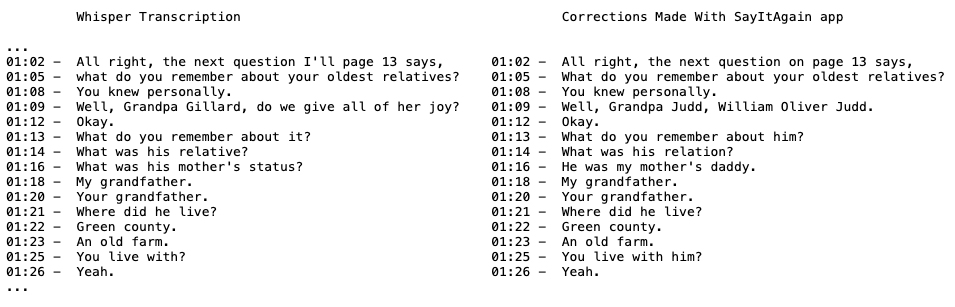
At this point I needed to go through and correct all the errors. I went hunting for apps and decided I could write an app that exactly met my needs. I then used it to correct the errors. I decided it would be pretty easy to package it up and release it to the Apple App Store so other people could use it.
| Special thanks to : | ||
| Trina Webb - For helping with the icon artwork | ||
| Anne French - For her encouragement, tech ideas, and proof reading |
The iOS app "SayItAgain" and its developer take your privacy very seriously. Beyond the information Apple collects as part of owning and using an iPhone, "SayItAgain" does not collect, record, or transmit any user data or info. It uses no third-party analytics or advertising frameworks.